

The Protection of Two-Factor Authentication Can Become a Locked Door in Certain Scenarios
Two-factor authentication significantly improves account security, there is no doubt about that. However, its design logic requires you to provide a verification credential that only you can access when logging in, typically a verification code from your phone or a dynamic code generated by a verification app. This design has a hidden vulnerability. If that unique verification channel encounters an issue, such as a lost phone, the failure to back up the verification app when switching devices, a deactivated SIM card, or a damaged phone, your way into the account also disappears. In this context, the security design of two-factor authentication instead becomes a mechanism that locks you out of your account. Backup codes exist specifically for this scenario; they are a set of one-time codes generated when you set up two-factor authentication on your account that can serve as the last login credential when all other verification methods are unavailable.
How Backup Codes Work
Most platforms provide a set of backup codes when you enable two-factor authentication, typically consisting of eight to ten one-time use codes, each of which can only be used once and becomes invalid after use. When your primary verification method is not available, select the other verification method or the option to use backup codes on the login page, enter one of the backup codes, and you will complete identity verification and gain access to your account. After logging into your account, you should immediately check the two-factor authentication settings, re-establish a usable primary verification method, and generate a new set of backup codes to replace the used old codes.
Where to Obtain Backup Codes on Various Platforms
Google Go to myaccount.google.com, select Security, find the two-step verification settings area, and scroll down to find the option for backup codes, then click to show or generate codes. Instagram Access Settings, choose Account, then select Two-Factor Authentication, find the backup code option; Instagram provides five sets of eight-digit backup codes. Facebook Go to Settings, select Security and Login, find the two-factor authentication settings, and look for the backup code option. Telegram Telegram’s two-step verification settings do not provide traditional backup codes, but you can set a backup email address to reset in case you forget the two-step verification password. Apple ID The account recovery key function for Apple ID is similar to the concept of backup codes, but once enabled, Apple will cease providing other recovery assistance, so you need to fully understand its design logic before using it.
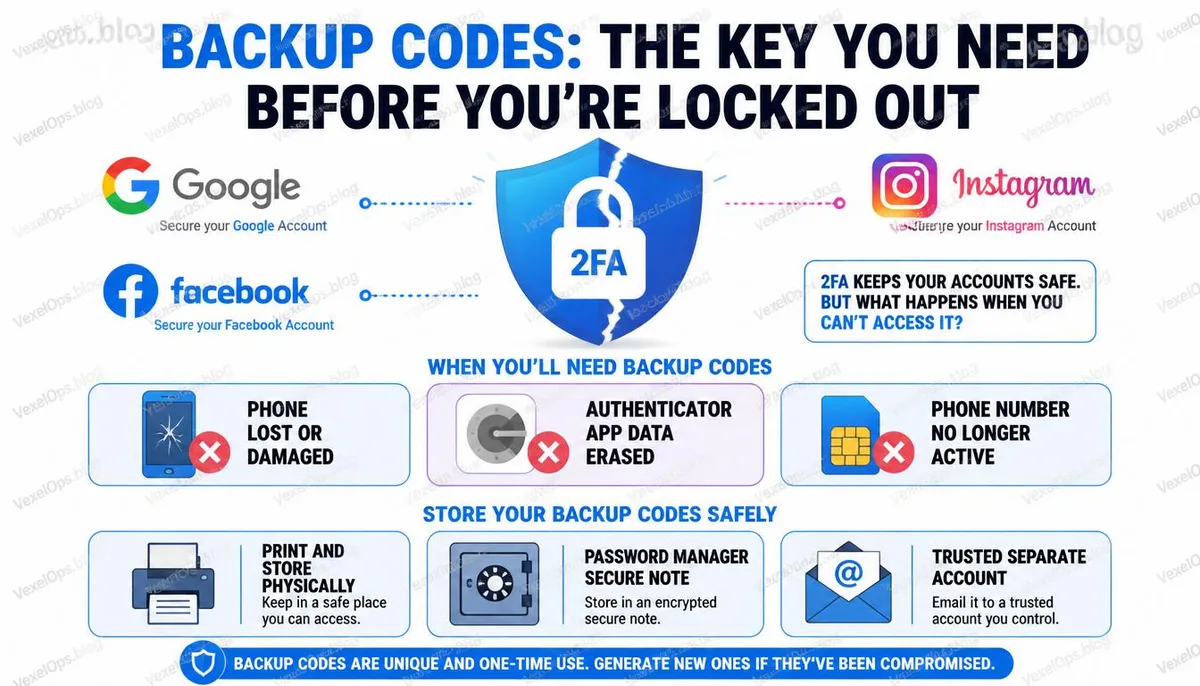
The Most Important Question About Backup Codes: Where to Store Them?
The way to store backup codes must meet two conditions: they should be accessible when you need them, and they should not be stored in the same place as your account. Taking a screenshot of the backup codes and saving it in your phone's album is the most common practice, but it has a clear problem — if your phone is lost or damaged, you also cannot access the backup codes, which is when you need them the most. Storing backup codes in the cloud service associated with your logged-in account, such as saving Google backup codes in Google Drive, will similarly be inaccessible if you cannot log into your account. A more reliable storage method includes:
- Print them and place them in a secure physical location, such as a designated document storage area in your home.
- Store them in a password manager, which is independent of the protected account.
- Keep them in another reliable account that you can also access, such as another email account.
There is no perfect storage method, but any of these options is better than not saving them at all.
Common User Questions About Backup Codes
What Happens If Someone Sees Your Backup Codes? Do You Need to Regenerate Them Immediately?
Backup codes are essentially a set of credentials that can log you into your account. If someone gains access to your backup codes, combined with knowledge of your account email and password, they can log in, and two-factor authentication won't provide protection in that case. If you believe your backup codes might have been seen by someone else, the most direct way to handle this is to log into your account immediately, go to the two-factor authentication settings, revoke the current backup codes, and generate a new set, making all the old backup codes invalid. The security of backup codes is directly related to how well you protect their storage location; they should be treated as equally important credentials as your account password.
If You Run Out of Backup Codes, Are There Other Ways to Access Your Account?
Once backup codes are exhausted, you will need to go through the platform's official account recovery process; this process typically requires verifying account ownership through a backup email, trusted device, or submitting identity verification documents. The feasibility of the recovery process depends on whether the recovery information you filled out when setting up the account is still usable, and how much information you can provide to prove ownership. This is why regularly verifying that your recovery information is still valid, along with saving backup codes, is equally important; the two act as complementary security mechanisms, not alternatives.
Can Password Managers Store Backup Codes? Is It Safe?
Yes, and this is one of the widely accepted practices within the cybersecurity community today. Password managers usually provide features for secure notes or document storage that can be used to save the text content of backup codes. The prerequisite for this method is that the password manager must have a strong master password protection, and the account must be in a good security state. One edge case to be aware of is if your password manager also utilizes two-factor authentication for the same account, and that account's verification method simultaneously fails; this can lead to a circular predicament. It is recommended that password managers employ an independent master password that does not rely on the verification methods of other accounts, allowing it to serve as an independent recovery resource in emergencies involving other accounts.
One Key Takeaway: Backup codes are often the most overlooked part of two-factor authentication design. Most people never save them after enabling two-factor authentication, but their purpose is to be useful at the moment when all other methods fail.