

What is Browser Fingerprinting?
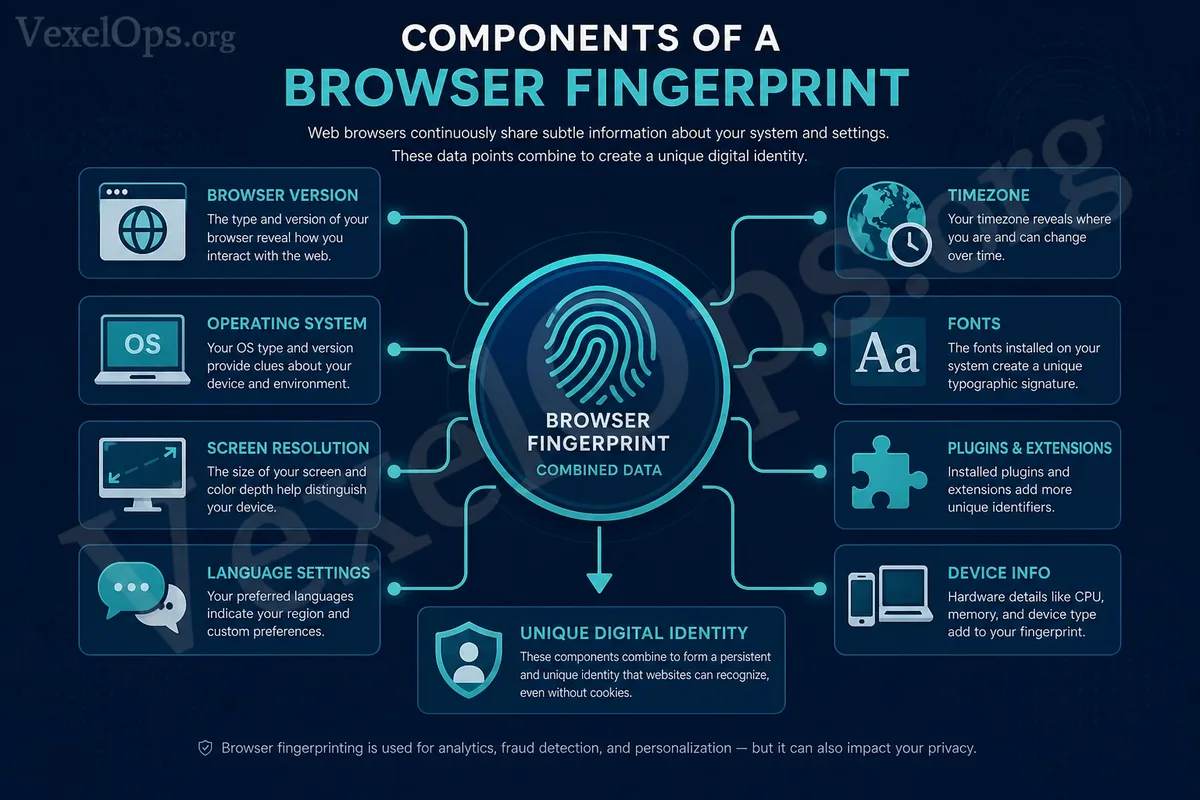
Browser fingerprinting, simply put, is a feature set that websites create using your browser, device, and usage environment information to uniquely identify you. Many ordinary users are more familiar with cookies, as they are used by websites to remember login status, shopping cart contents, or user preferences. However, browser fingerprinting is different from cookies. Cookies are typically data stored in the browser, while browser fingerprinting is identification clues derived from the features of your device and browser. For example, details like your browser version, operating system, screen resolution, language settings, timezone, fonts, plugins, hardware information, and browser capabilities could all be part of the fingerprint. Individually, each piece of information may seem ordinary, but when combined, they can create a relatively unique identifying characteristic.
Why Do Ordinary Users Need to Understand Browser Fingerprinting?
Many people think that by clearing cookies or using incognito mode, websites will have difficulty identifying them. However, in reality, browser fingerprinting complicates tracking. Incognito mode mainly prevents the local saving of browsing history, cookies, or form data, but it doesn’t mean that websites cannot see your device and browser information at all. If some websites employ more advanced tracking methods, they could still identify based on the characteristics of the browser environment. For ordinary users, the goal of understanding browser fingerprinting isn’t to study complex technology, but to recognize that online privacy is not solely about the information you input; it also relates to your device’s environment. When you use websites, log in, browse content, or click ads, various levels of tracking and analysis may exist behind the scenes.
What Information is Typically Included in Browser Fingerprinting?
Browser fingerprinting can encompass various items. Common elements include browser type and version, operating system, device type, screen size, screen resolution, system language, timezone, font list, browser plugins, hardware performance, graphics rendering information, and whether certain browser features are supported. This information isn’t necessarily sensitive in itself. For example, screen resolution or language settings may appear quite benign, but when combined with other data, they can help websites distinguish between different users. Ordinary users can think of it this way: websites not only look at who you are but may also consider what your usage environment looks like. If your usage environment is unique, it's easier to be identified.
What is the Relationship Between Browser Fingerprinting and Personal Privacy?
Browser fingerprinting is often used for various purposes such as website analytics, risk assessment, ad targeting, fraud detection, and security protection. Some uses are legitimate; for instance, websites may need to determine whether there is abnormal login activity, bot traffic, or suspicious behavior. However, from a personal privacy perspective, users need to understand that browser fingerprinting may be used to track behaviors across different sites. Even if you are not logged into any accounts, certain tracking methods may still attempt to establish a connection based on device and browser characteristics. This does not mean that every website is maliciously tracking you, nor does it mean that ordinary users should panic. But it serves as a reminder that digital privacy is not just about "not disclosing personal data"; it also involves how you are analyzed, categorized, and identified online.
How Can Ordinary Users Reduce Risks?
Ordinary users don’t need to strive for complete anonymity, but they can establish basic privacy habits. First, regularly check browser privacy settings, including cookies, third-party tracking, site permissions, notification permissions, and autofill data. Second, avoid installing too many unnecessary browser plugins, as they can increase variability in your browser environment and may pose additional security risks. Third, use a trusted browser and keep it updated to minimize security issues associated with older versions. Additionally, avoid logging into important accounts on unfamiliar websites and refrain from entering sensitive data on unknown pages. Browser fingerprinting is only part of digital privacy; real security still relies on password management, multi-factor authentication, privacy settings, and discerning suspicious websites.
Do Not Misunderstand Browser Fingerprinting as a Universal Tracking Tool
While understanding browser fingerprinting is valuable, it should not be overly mythologized. It is not a universal tool and cannot always accurately identify a specific individual. Different browsers, settings, and device environments can affect the identification results. For ordinary users, the most critical aspect is to understand its concept without falling into excessive anxiety. You don’t need to stop using the internet because of browser fingerprinting; rather, you should consciously manage your browser settings, site permissions, and data-sharing habits.
Develop a Clearer Understanding of Digital Privacy
Browser fingerprinting serves as an excellent example, illustrating that online privacy stems not only from the data you actively fill out but also from environmental information you naturally expose while using your device. With this understanding, ordinary users can better comprehend the relationships between cookies, tracking, advertisements, website permissions, and browser settings. You don't have to become a tech expert but at least know which settings are worth checking, which website behaviors require heightened awareness, and what information should not be casually provided. The essence of digital safety is not to instill fear of technology in ordinary users but to empower you to make sound judgments while using the web. When you know what browser fingerprinting is, you can better understand your online footprint and more robustly manage your personal privacy risks.