
What is Two-Factor Authentication?
Two-factor authentication, often referred to as 2FA, adds a second layer of verification in addition to a password. Simply put, when you log into an account, the system asks for another verification method, such as a dynamic code generated by an authenticator app, an SMS verification code, a backup code, or a security key. For everyday users, think of two-factor authentication as a "second door" for your account. The password is the first door, and two-factor authentication is the second door. Even if someone learns the key to the first door, they may not be able to enter the account directly. This is why two-factor authentication is crucial for social media, email, cloud storage, financial services, and work accounts.
Why is Relying Solely on Passwords Inadequate?
Many accounts are compromised not because attackers use complex techniques, but because passwords themselves are risky. Common scenarios include: using overly simple passwords, reusing the same password across multiple platforms, entering passwords on insecure websites, or having passwords tested on other services after a data breach on one platform. If someone uses the same password for their email, Instagram, Facebook, shopping websites, and other services, if one platform is compromised, others are also at risk. This is a common issue for everyday users. The value of two-factor authentication lies in its ability to minimize direct damage from password leaks. Even if someone knows your password, without the second layer of verification, it’s harder for them to log in successfully.
Common Methods of Two-Factor Authentication
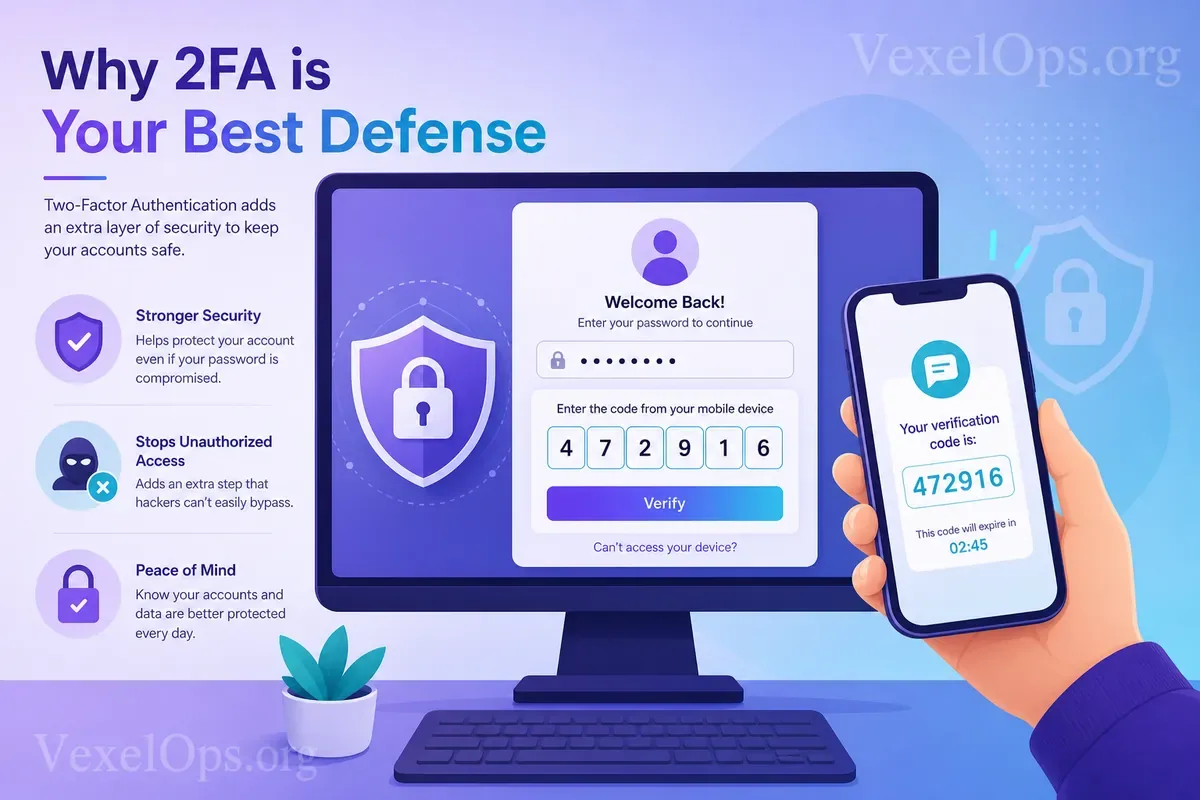
There are several common methods of two-factor authentication. The first is SMS verification codes, where a numeric code is sent to your phone during login. This method is easy to understand and is safer than having no two-factor authentication at all. However, if a phone number is lost, hijacked, or if an SMS is intercepted, it can pose additional risks. The second method is via an authenticator app, which generates a login code that changes every short interval. Compared to SMS verification, authenticator apps are typically more suitable as a primary two-factor authentication method, as they do not rely on SMS and phone numbers. The third method is backup codes. If you’re unable to use your phone or authenticator app, backup codes can aid in regaining access. Backup codes are critical but should be well-stored; do not screenshot them and place them in visible folders or unprotected cloud storage. The fourth method is a security key. This is a more advanced verification method, usually suitable for users requiring higher account security. Everyday users may not need to utilize this right away but can understand it as a stronger form of account protection.
What to Watch Out for After Enabling Two-Factor Authentication?
Enabling two-factor authentication doesn’t mean your account is forever safe; it simply adds another layer of protection. Everyday users still need to be mindful of several details.
- First, do not share your verification code with anyone. Legitimate platform customer service will typically not ask for your login verification code, password, or backup codes. If someone requests your verification code via messages, calls,
- Second, do not log into your account from unknown links. Some phishing websites mimic official login pages, and when you enter your username, password, and verification code, attackers may immediately try to log in using that information. T
- Third, safely store your backup codes. Many users forget to save their backup codes after enabling two-factor authentication, and when they lose their phone, can’t use the app, or switch devices, they find themselves locked out. It is recom
- Fourth, confirm that your account recovery information is accurate. While two-factor authentication is important, email addresses, phone numbers, and recovery methods are equally critical. If the recovery email is no longer accessible, or i
Which Accounts Should Have Two-Factor Authentication Enabled?
If you're unsure where to start, begin with your most important accounts. The first should be your primary email, as many password resets will be sent there. If the email is compromised, other accounts may also be affected. The second is popular social media platforms such as Instagram, Facebook, TikTok, X, Telegram, or YouTube. If these accounts are hacked, they could be used to impersonate you and send fraudulent messages to your friends. The third includes financial, shopping, and cloud service accounts. These accounts may involve payment details, personal documents, transaction records, or important data, hence they should also be prioritized for protection.
Two-Factor Authentication: One of the Most Practical Security Habits for Everyday Users
For everyday users, digital security doesn’t necessarily need to start with complex tools. Often, simply securing the most basic account defenses can significantly reduce risks. Two-factor authentication is one of the top priorities to set up. It won’t make an account 100% risk-free, but it provides an essential layer of protection when password leaks, suspicious logins, or phishing risks occur. If you haven’t enabled two-factor authentication yet, start with your primary email and most frequently used social media accounts. Once set up, also remember to save your backup codes, verify recovery information, and avoid sharing your verification codes. Account security isn’t a one-time task; it’s a continuous maintenance habit. Starting with two-factor authentication is one of the most practical steps for everyday users to establish a solid digital security defense.