
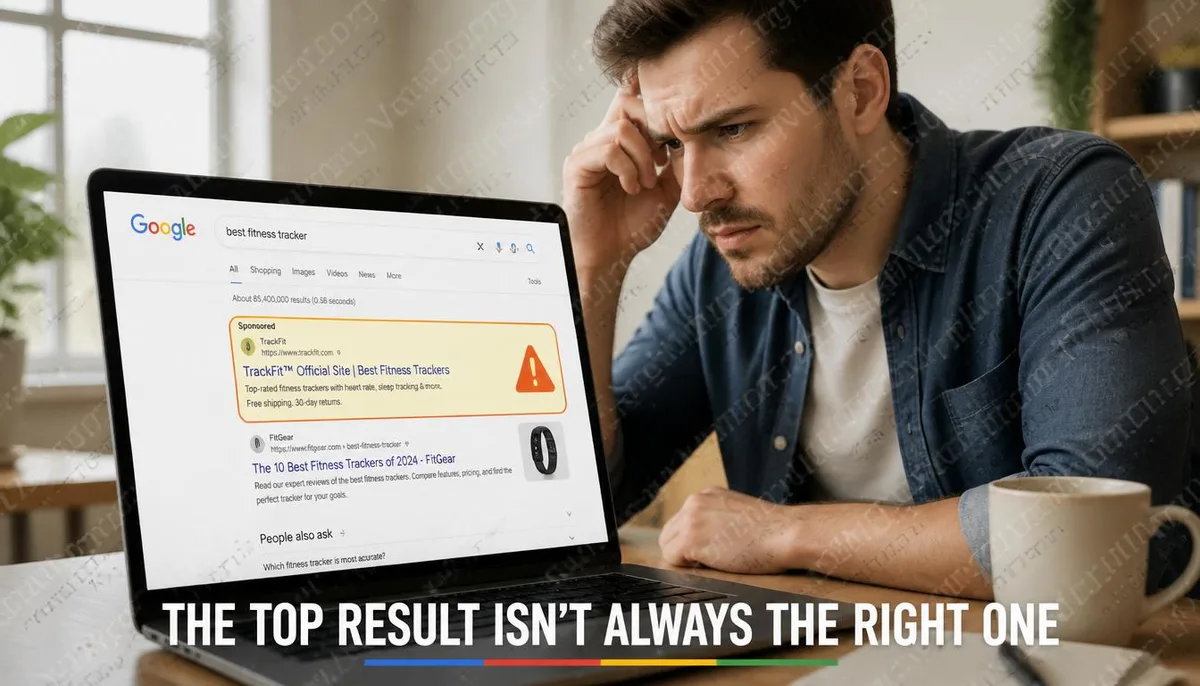
The Top Result Doesn’t Mean It’s the Site You’re Looking For
Most people have a deeply ingrained habit of clicking the first result they see when using Google search. This habit is usually harmless, but it is based on a somewhat incorrect assumption that the top result is always the most relevant and trustworthy one. At the top of the Google search results page, there are usually paid advertising slots marked with "Sponsored". This spot is open for bidding; anyone can pay to place their link at the top of search results for specific keywords, including scammers. In recent years, there has been a growing number of attack cases where attackers buy keyword ads related to well-known brands, banks, or software, directing traffic to counterfeit pages that look almost identical to the official site, waiting for users to enter their credentials or credit card information.
Why Are These Attacks Particularly Difficult to Detect?
Traditional phishing attacks typically send suspicious links through emails or direct messages, giving users at least one opportunity to make a judgment call on whether the email or message is trustworthy. Attacks launched through Google Ads bypass this judgment phase. Users are actively searching, believing they are looking for the official website, and the presentation of search results makes the ads appear almost indistinguishable from organic rankings. Additionally, the appearance of counterfeit websites is often very polished, with some even designing the URL to closely resemble the official one, leaving users unaware of any irregularities throughout the process. This type of attack has targeted the following:
- Login pages for major banks and financial institutions
- Download pages for software brands like Adobe, Microsoft, and Norton
- Login interfaces for cryptocurrency exchanges, including Binance and Coinbase
- Local e-commerce platforms and government service websites in Taiwan
- Official websites for VPN services and password managers
Simple Confirmations You Can Make Before Clicking
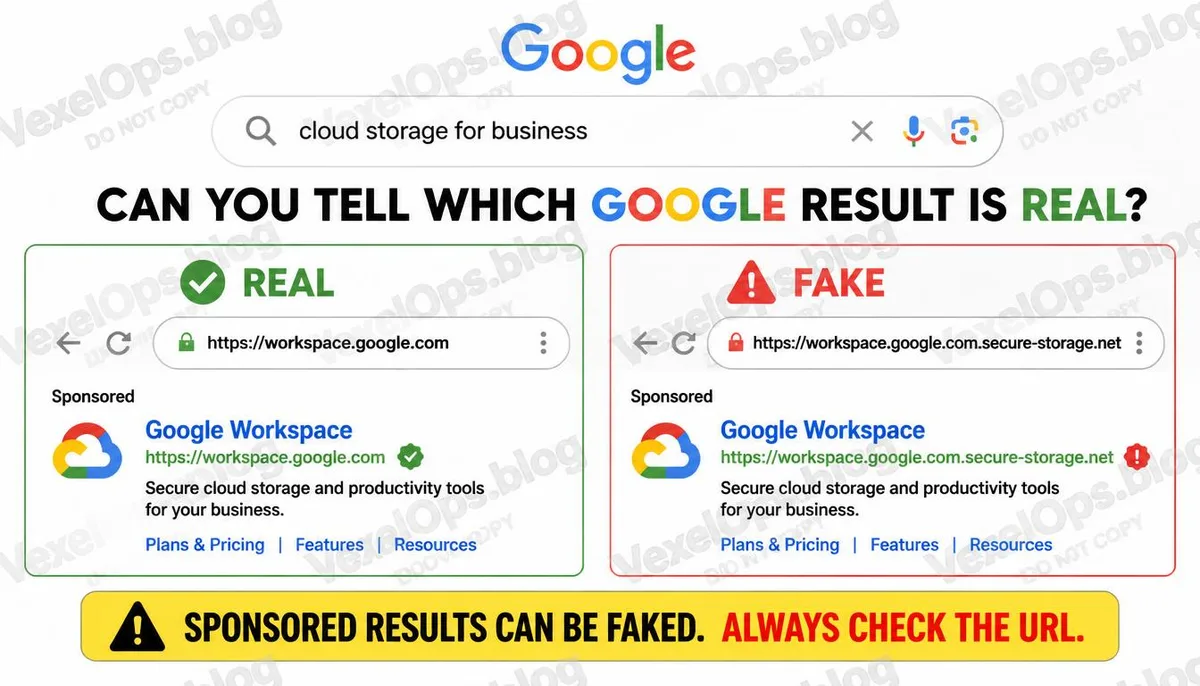
Pay Attention to the Advertisement Label Google displays a "Sponsored" label next to paid ads, so be aware of this label as it indicates that this result is paid for and not organically ranked based on content relevance. An advertisement itself does not equal a scam, but it means that this result requires an extra layer of verification. Look at the URL Directly, Not Just the Title Before clicking, hover over the link; the actual target URL will be shown at the bottom of the browser. Check if the domain name matches the official website exactly. Common disguising techniques include: - Adding extra characters before or after the official domain, such as google-accounts.com or microsoft-login.net - Replacing visually similar characters, such as using the digit 0 to replace the letter O - Using different top-level domains, such as .net or .org for the counterfeit when the official site is .com For Financial and Account-Related Searches, Input the URL Directly If you need to visit a bank, credit card company, or account management page, the safest practice is to type the official URL directly into the browser's address bar instead of clicking through search results.
If You’ve Entered Your Information, What Should You Do Next?
If you have entered your credentials on a suspicious website, you need to take several immediate actions: 1. Go directly to the legitimate official website and change the password you just entered. 2. If the same password is used for other accounts, it should also be updated there. 3. If you entered credit card information, promptly contact your issuing bank to inform them of the potential data breach. 4. Enable two-factor authentication on your account to reduce the risk of unauthorized access even after the password has been stolen. 5. Keep a timeline of the entire event along with relevant screenshots. After organizing the event information, if you are unsure about which accounts need to be handled next or what steps to take, VexelOps can assist in clarifying the scope of impact to make the handling process more directed.
Common Questions About Fake Google Ads and Phishing Searches
Does Google Not Block These Types of Fraudulent Ads?
Google has policies in place for reviewing ad content and will proactively remove violating ads, but the review process is not instant, and there will still be some time when fraudulent ads exist before they are taken down. Some fraudulent ads may have passed initial reviews only to be discovered and removed later. Google encourages users to report suspicious ad content using the reporting feature next to the ads to help speed up the removal process.
Is it Safe to Search for Download Pages for Software Through Google?
Searching for software names to find download pages is currently one of the most common entry points for fake software download scams. The recommended practice is to download directly from the official website of the software developer, rather than through third-party download pages in search results. If uncertain about the official website's URL, it is advisable to first check through Wikipedia or trusted tech media before proceeding to the verified official page for download.
What Does It Mean When Your Browser Shows a Security Warning?
Mainstream browsers such as Chrome, Firefox, Safari, and Edge have built-in mechanisms to detect phishing sites. When you attempt to visit known malicious or fraudulent sites, the browser will display a warning page. This mechanism relies on a database of known malicious sites, and detection may experience delays for newly launched fraudulent sites. If a warning arises, it is not advisable to proceed, as this warning indicates that the browser has a clear reason to determine that the site poses a risk.
One Key Takeaway: The top ad positions in Google search results are open for bidding, and anyone can purchase them, including fraud groups. For searches related to banks, accounts, or software downloads, developing the habit of directly entering official websites or using bookmarks is the most straightforward preventive measure.