
You Might Think You’re Just Watching Videos, But TikTok Records Much More
TikTok has over a billion active users worldwide, making it one of the fastest-growing social media platforms. Its algorithm’s recommendation capabilities have been widely discussed, being able to accurately deliver content that matches your interests just minutes after you start using it. Behind this precision is a constantly operating data collection system. The data collected by TikTok is detailed in its privacy policy and includes the types of videos you watch and their duration, the keywords you search on the platform, your device model and operating system version, your approximate location information, and your interaction history with other accounts. While the data collection itself is part of the platform's normal operation, understanding its scope and which settings can be adjusted is meaningful for users.
Account Visibility Settings: Who Can See Your Content
TikTok's new accounts are set to public by default, meaning anyone can see the videos you post, the content you liked, and your list of followed accounts. This public setting is reasonable for users who aim to create content, but for average users who just want to browse, this default may be more open than necessary. Options that can be adjusted include:
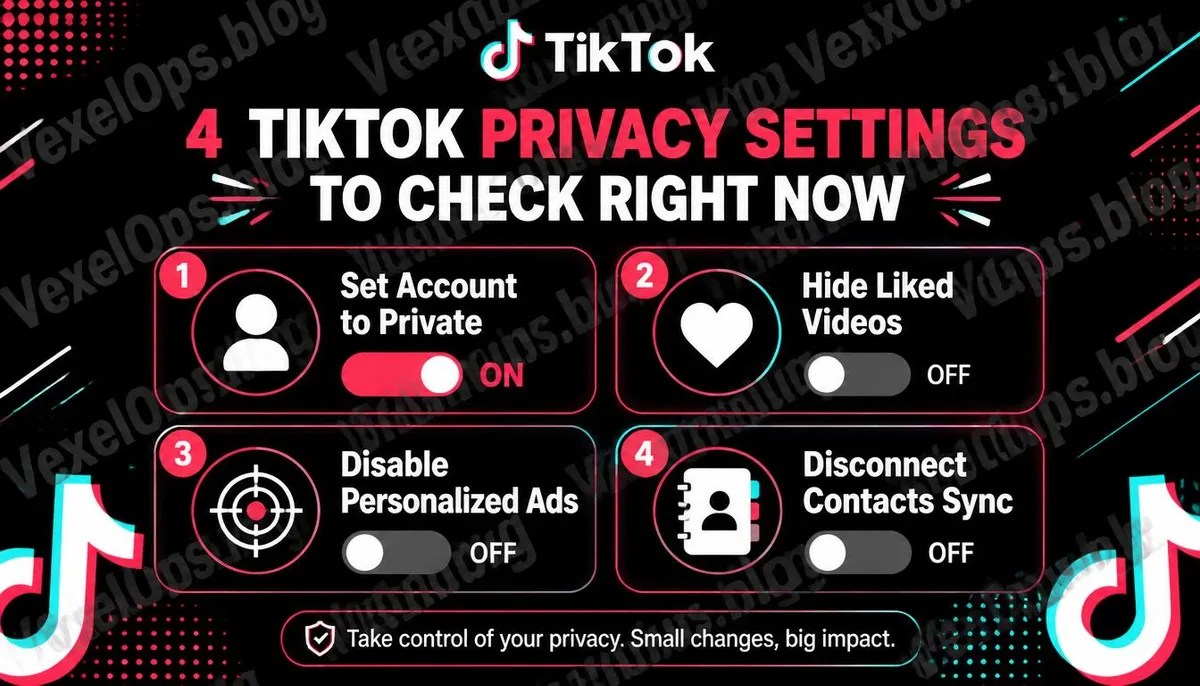
- Set Account to Private: Only followers you approve can see your videos and interaction history
- Visibility of Liked Content: Can be set to private, only visible to yourself, even if the account is public
- Visibility of Followers and Following Lists: Can also be controlled independently
- Allowing Who Can Send Messages: Can be restricted to mutual followers or completely closed
Algorithm Recommendations and Data Usage Settings
TikTok's recommendation algorithm relies on behavioral data, but the platform also provides several options for users to intervene in this process. Personalized Ads In the privacy settings, there is an option for ad personalization; turning this off means TikTok will still display ads, but they will not be targeted based on your personal behavioral data. Visibility of Suggested Accounts By default, TikTok recommends your account to people who might know you, which relies on connections with your contacts and Facebook accounts. If you do not want to be recommended to contacts in your address book, you can turn off this feature in privacy settings. Off-Platform Activity Data Similar to Meta’s Pixel, TikTok also has a mechanism to track user activity outside the platform. In some regions, versions of the app provide an option to disable this feature, which can be checked in the privacy settings page.
Additional Considerations for Underage Users
TikTok has some preset protective measures for underage users, including automatically setting accounts to private for users below a certain age, limitations on the messaging feature, and an age threshold for live-streaming. However, these protective measures require the correct birth year to be filled in at registration; if an incorrect age is provided, these protections will not activate automatically. Parents looking to better understand their underage children's TikTok usage can use TikTok's parental control features, linking their accounts to monitor screen time, content categories, and messaging functions.
Regularly Check Authorized Third-Party Links
Many users log into TikTok using their Google or Facebook accounts, which offers convenience but also creates an authorization relationship between the two accounts. It's recommended to periodically visit the application management page in TikTok settings to confirm which third-party links are currently enabled and remove those that are no longer needed. Similarly, you can check your Google or Facebook account settings to ensure that the access permissions granted to TikTok are reasonable. If, during the process of managing settings, you find any suspicious login records or authorization records, VexelOps can help assess the risk level of those records and provide subsequent verification steps.
Common Questions about TikTok Privacy Settings
Does TikTok Access Your Phone's Contacts?
At installation, TikTok may request permission to access your contacts. This permission is used to recommend accounts you may know and to make it easier for contacts in your address book to find you. If you do not want TikTok to access your contacts, you can revoke TikTok's contact access permission in your phone's app permission settings. This adjustment does not need to be done within the TikTok app; it can be modified directly from iOS settings or the app management page in Android.
What Happens to Old Public Videos After Setting Your Account to Private?
When the account is switched to private, previously public videos will also turn private, viewable only by approved followers. However, this change does not affect videos that other users have already downloaded or saved prior to switching the account to private, as those copies already exist outside the TikTok platform. If you have privacy concerns about some previously published videos, the most straightforward approach is to delete those videos.
How Does TikTok's Data Collection Differ from Other Social Platforms?
The types of data TikTok collects are similar to those collected by Meta's Instagram and Facebook, but the extra attention often given to TikTok derives from its parent company, ByteDance, having operations based in China. Some regulatory bodies in various regions have concerns about data potentially being accessed by the Chinese government. This issue has different regulatory responses across countries, and currently, in some nations, there are regulations preventing government devices from using TikTok. For the average user, understanding this background and making judgments based on their own usage circumstances and risk tolerance is the most practical approach.
One Key Takeaway: TikTok's default settings are oriented towards openness in terms of visibility and data collection. Spending a few minutes in the privacy settings page to check the status of account visibility, ad personalization, and third-party links is the most direct way to assess your data on this platform.