

You Think You’re Using Instagram, But Instagram Is Also Using You
Meta's business model is built on advertising revenue, and the core of that revenue is an accurate grasp of user behavior. Instagram and Facebook are not just social platforms; they are among the world’s largest behavioral data collection systems. This is not a conspiracy theory, but a function that Meta explicitly admits in its privacy policy and advertising explanation pages. What’s truly worth understanding is the scope of the data this system collects and what options you have to make adjustments.
What Data Does Meta Actually Collect?
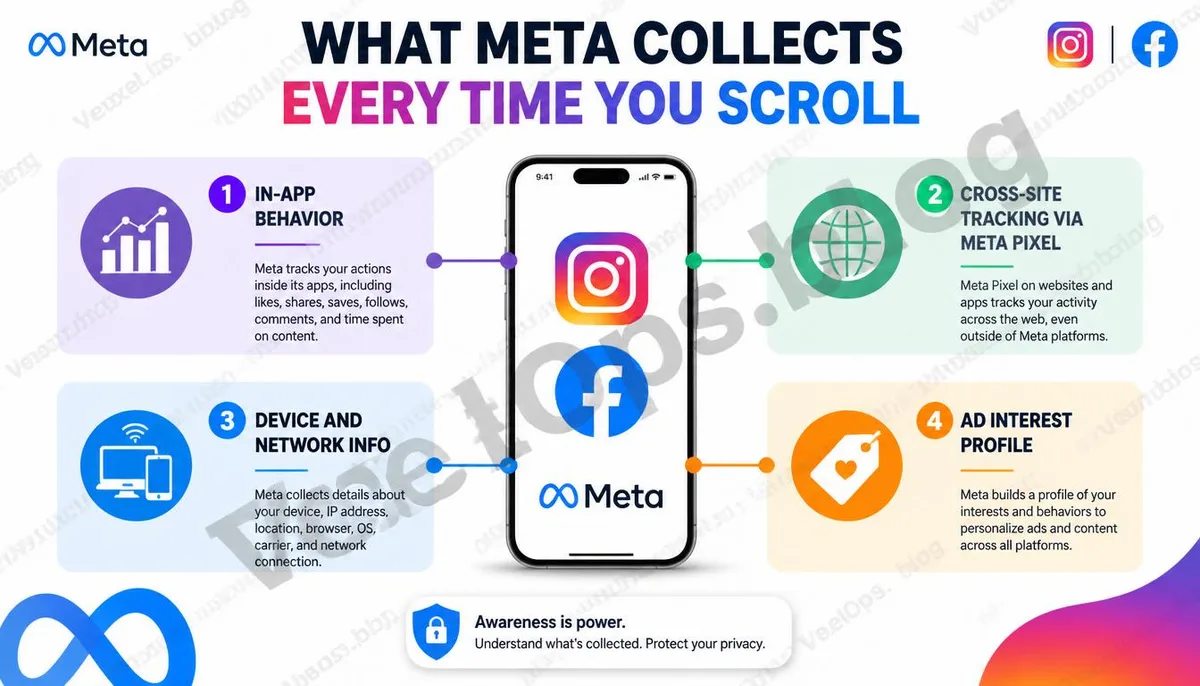
Behavioral Data Within the Platform - The types of posts you linger on for an extended period. - The keywords and account names you search. - The ads and external links you click on. - Your video viewing completion rates and replay counts. - The types of Stories you interact with. Device and Technical Data - Your device model and operating system version. - Your IP address and Internet Service Provider information. - Your usage patterns and time spent in the app. - A list of other apps on your device (depending on platform settings). Cross-Platform Tracking Data This is something many people are unaware of. Meta's tracking pixel is widely embedded in third-party websites. When you browse products, read articles, or make purchases on other websites, Meta may have recorded these actions without your knowledge, even if you weren’t actively using Instagram or Facebook at the time.
What Does Your Advertising Profile Look Like?
Based on the above data, Meta creates an advertising interests profile for each account. You can view the list of categories Meta believes you are interested in on Facebook’s advertising settings page. This list can sometimes be surprisingly accurate, while other times it may include items you completely forgot about; those items may come from your browsing behavior on other websites. How to view it: 1. Go to Facebook settings. 2. Select Ad Preferences. 3. View ad topics and advertisers list. Instagram’s ad settings can also be found in the app's account settings, accessible through the options related to ads within the Privacy section.
What Settings Can You Adjust?
Disable cross-app and website ad tracking. Meta offers a setting called Off-Facebook Activity, which allows you to view and clear the activity data that Meta collects from third-party websites and apps. You can also choose to disconnect this data from your account. This setting won’t stop Meta from collecting data but will unlink it from your account for advertising purposes. Adjust advertising interest topics. You can manually remove the advertising interest tags that Meta has created for you. This will affect the types of ads you see but does not mean that Meta will stop collecting behavioral data. Limit Instagram’s activity status visibility. In Instagram’s privacy settings, you can turn off the activity status display option, preventing others from seeing your last online time. This is a direct adjustment for everyday privacy protection. Regularly check authorized third-party applications. Many people log into other services using their Facebook accounts. These authorized third-party applications can also access some of your account data. Regularly visiting the applications and websites page in your account settings to remove unused authorizations is an effective way to
Understanding the Scope of Data Doesn’t Mean You Need to Delete Your Account Immediately
While Meta’s data collection scope is indeed extensive, the purpose of understanding this is not to induce panic about using social platforms, but to help you gain a clearer understanding of what data you are sharing in exchange for the services you use. Knowing these settings exist and making adjustments based on your needs is the most practical way to protect your privacy. If, during the process of organizing your account settings, you find unknown third-party application authorizations or notice unusual records associated with your account, VexelOps can assist you in assessing the risk level of these authorizations and whether further account security verification is necessary.
Common Questions About Meta Privacy and Advertising Tracking
Will I Still See Ads After Turning Off Personalized Ads?
Yes. Even after turning off personalized ad settings, you will still see ads on Instagram and Facebook, but the content of these ads will not be served based on your personal behavioral data. Instead, they will be general ads based on your location or the context of use. Meta's revenue model relies on advertising, so ads won’t disappear due to this setting, but the relevance of the content you see may diminish.
Does Meta Really Listen to My Phone's Microphone to Serve Ads?
This is a widely circulated claim, but there is currently no credible technical evidence supporting Meta's systematic use of microphone data for advertising. A more reasonable explanation is that Meta's behavioral data collection is naturally extensive, and coupled with the algorithm's precise predictive ability regarding user interests, makes ads sometimes appear highly relevant to topics you've just discussed; this is a result of behavioral data analysis, not microphone listening.
Will Meta Keep My Data After I Delete My Facebook Account?
According to Meta's privacy policy, after account deletion, Meta will retain some data for a period of time for reasons including legal obligations, security considerations, and technical limitations. The complete deletion time varies by data type, with some data possibly taking months to be fully removed from Meta’s systems. If you have specific needs regarding data deletion, you can back up your data using Meta’s data download feature before deleting your account.